Infinite AI Text Recognizer — document recognition with no length limit
A Windows desktop program on top of an open recognition model: it processes a document as a whole in a single pass instead of cutting it into pieces and stitching the result together. The user needs neither Python, nor CUDA, nor a command line — the app studies the hardware, chooses the operating mode and installs everything it needs by itself.
The source code is open: github.com/GhostCorpTech/infinite-ai-text-recognizer — open it and see for yourself.
How it looks
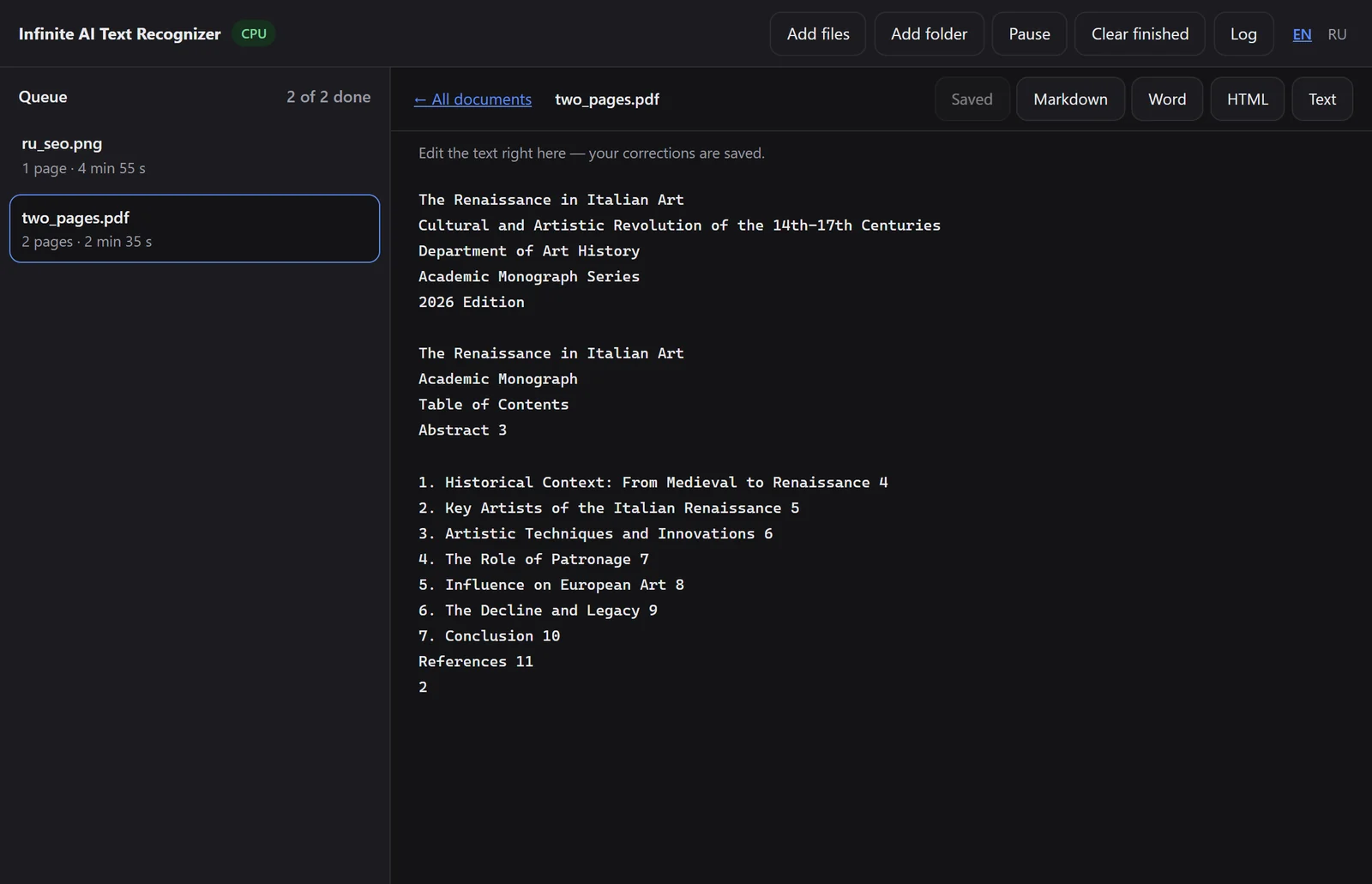
The screenshots are real: this is the window of the working app.

What the product does
- PDFs and images turn into marked-up text
- A multi-page document is processed in a single pass
- The result can be corrected right in the window and saved
- A batch queue: a folder of a hundred files, with pause and resume after a restart
- Export to Markdown, DOCX, HTML and TXT
- After installation it works offline: nothing is sent anywhere
- Installs Python, PyTorch and the model weights for itself
- Detects the graphics card and chooses an operating mode for it
- Marks honestly whether the quality in this mode is the reference one or approximate
- A Russian and an English interface throughout, including the installer’s messages
Why document length is a problem at all
The usual way of recognising a long document is to cut it into pieces, run each one separately and stitch the result together. Everything is lost at that seam: a table split between pages stops being a table, a heading gets torn from its section, and continuous numbering goes astray.
The model the app is built on keeps a constant amount of working memory at any length — so dozens of pages fit into one pass, and nothing needs stitching. Hence the name: the limit on document length is removed not by clever cutting but by the absence of any cutting.
An installation that sets itself up
This is the main part of the work and the main reason the app exists at all. Running a recognition model usually means installing the right version of Python, finding a PyTorch build for your graphics card and driver version, downloading almost seven gigabytes of weights and working out why all of it crashes. For a person who just needs to recognise a contract, that is an impassable step.
That is why the installer does everything itself and in order: it studies the hardware, chooses a mode and explains the choice, installs its own Python without touching the system one, installs PyTorch from a suitable index, downloads the weights with resume and a mirror, patches the model’s code and runs a test recognition. Once — after that the app simply starts.
Four modes and honesty about quality
The model is released in a format that only sufficiently new graphics cards can compute, and it weighs almost seven gigabytes. All the limitations follow from these two facts, and the app does not pretend they are not there.
On a suitable card with enough video memory the full mode runs — the native format and the reference quality. On a weaker card the context is reduced; on a really weak one quantisation is switched on: fast, but below the reference quality, and the app says so plainly. If there is no suitable card at all, the CPU mode runs — slowly, but with the original weights and the same reference quality.
The mode is shown in the interface with a mark saying whether it is the reference one or not. This is a deliberate decision: a program that passes off an approximate result as an exact one is worse than a program that gave you an honest warning.
How it is built
- 1 Probe The app reads the hardware: the graphics card model, its generation, the amount of video memory, the driver version, the RAM and the free space on the disks
- 2 Mode Based on this data, one of four modes is chosen — and the app explains the choice in words, not with an error code
- 3 Installation Its own Python is installed, then PyTorch from the index that suits this particular card and driver, then the model weights — with resumable download and a mirror
- 4 Patch The model’s code has its hard dependency on a graphics card removed, otherwise it crashes in CPU mode
- 5 Check A test recognition is run and the real speed is measured — so that the promise in the interface is measured rather than claimed
- 6 Work From then on it is simply an app: queue, editor, export. The model is loaded once and stays in memory
What it is built with
Need something similar?
Tell us what is happening on your side now. Scoping and the estimate are free and commit you to nothing.