TIKKA — a car service centre website: visuals, search and its own admin panel
A turnkey website: from the mockup to an admin panel in which the owner edits everything the visitor sees. Visually it is not a template — the first screen is made of animated scenes, and the cards live a life of their own and react to the cursor. Under this wrapping is an ordinary working machine: a structure built for search, search across services and prices, a blog and enquiries that are visible both in the panel and in the inbox.
The project is public: tikka.pro — open it and see for yourself.
How it looks
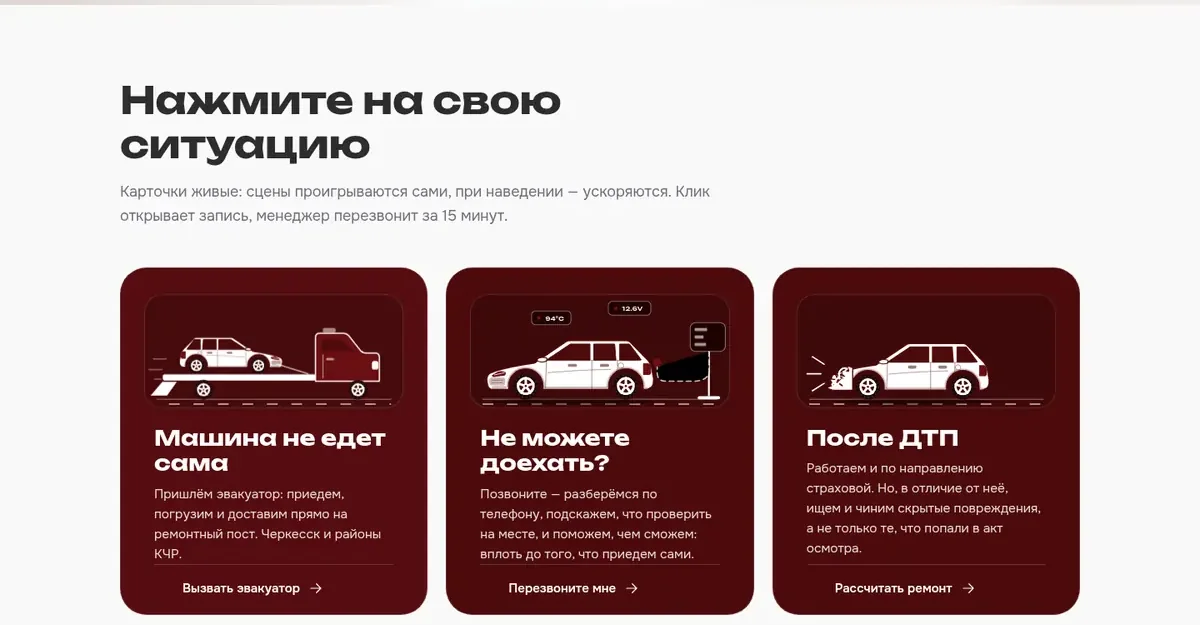
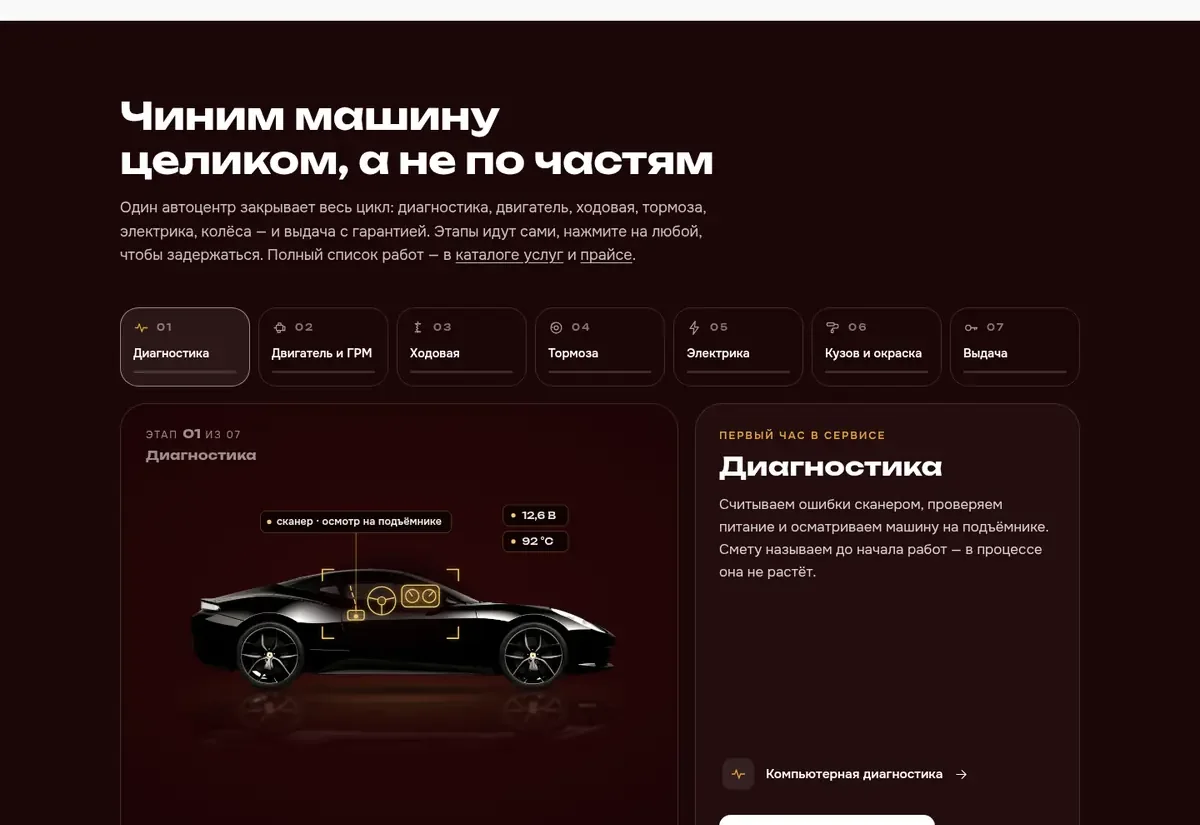
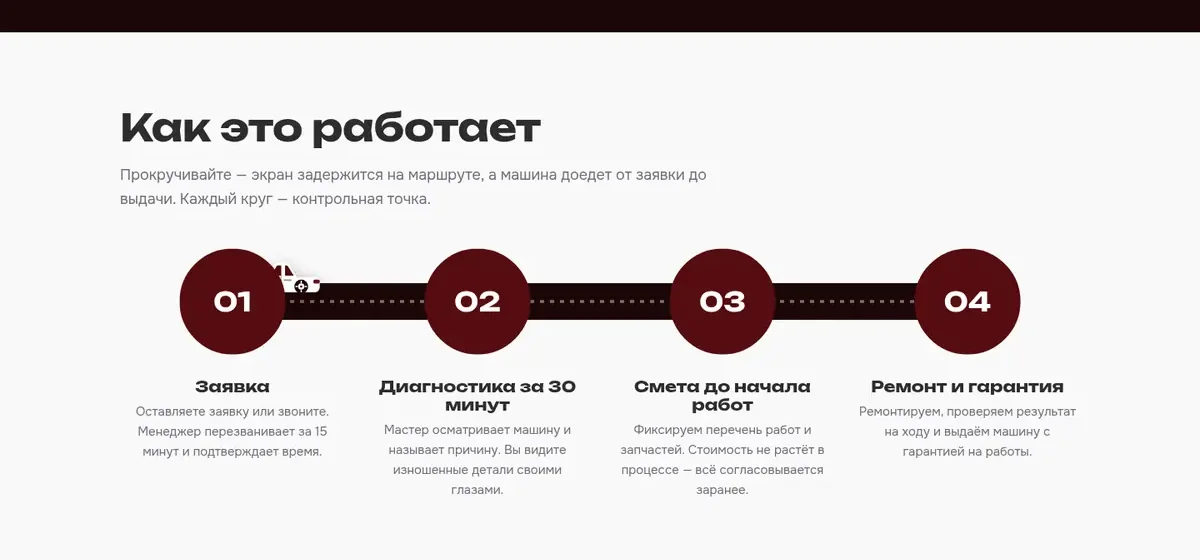
What the product does
- Animated scenes on the first screen and cards that react to the cursor
- Search across services and prices: the answer shows both the service and the price line
- A page for every service — written for how it is searched for
- A blog with articles linked to the services
- The price list is edited from the admin panel, without a developer or a deployment
- An admin panel with full control: texts, prices, services, articles, photos
- Enquiries are collected in the admin panel and duplicated by email
- A mobile-first layout, a directions map and web analytics with goals
The visual approach
The site is not assembled from an off-the-shelf theme: the first screen consists of animated scenes the page moves between on its own, and the service cards live a life of their own and react to the cursor. An interactive diagram of the work cycle runs by itself and stops wherever the cursor lands — any stage can be expanded and read on its own.
All of this is done without heavy libraries and not at the expense of speed: the animations switch off when reduced motion is turned on in the system, and on a phone the site opens just as fast as on a computer. Something beautiful that takes five seconds to load works against the site.
SEO and the blog
The structure is built around how the services are searched for: not one “Services” section for everything, but a separate page for every service — with its own heading, its own text and its own price. Technically every page covers what search engines look at: headings, descriptions, markup, a sitemap, speed and the mobile version.
The blog is a separate piece of work. Articles are written for search queries, each leads to the service it talks about, and the latest ones are pulled onto the home page. This way the site collects traffic from the questions people ask before they have chosen who will do the work.
Search across services
On a site with a large price list, the visitor’s main problem is finding their line. That is why the site’s search looks not through the texts of the pages but through the services and the price list at once: a person types “oil change” and gets both the service and the price line, without going to the catalogue or scrolling a table.
The search understands abbreviations and typos and makes suggestions as you type. Where the price depends on the car, the answer says so directly — together with a button to book a diagnosis, so that the person does not go off looking for a phone number.
The admin panel and enquiries
The admin panel is a full part of the project, not an add-on to the site. Everything the visitor sees is edited from it: texts and headings, services and prices, blog articles, photos, contacts and opening hours. None of it needs us: changing a price or adding a service is a minute’s work, with no deployment and no developer.
Enquiries from the site arrive in the same admin panel: you can see who left one, when, from which page and what exactly they asked for. Every enquiry is sent by email in parallel — so that it is seen even on a day when nobody opened the panel. Enquiries have their own statuses, so the panel also works as a simple request log.
How it is built
- 1 Storefront The front end is written by hand, without a site builder or an off-the-shelf theme: the scenes, transitions and cards are its own
- 2 Structure Every service has its own page, with a heading written for how that service is searched for and with its price on it
- 3 Search Search across services and prices answers with both the service and the price line — without a trip to the catalogue
- 4 Blog Articles written for search queries, linked to the services and marked up for search engines
- 5 Enquiry The form goes to the admin panel and is duplicated by email — an enquiry is not lost even if nobody opened the panel
What it is built with
Need something similar?
Tell us what is happening on your side now. Scoping and the estimate are free and commit you to nothing.